Learning Studio / reference
Save and recover your work
Recognize pending saves, retry failures, and reconcile conflicts.
Save states
Section titled “Save states”Edits appear locally first and autosave after a short delay. Watch the save indicator before closing the editor or starting an operation that depends on saved content. The save shortcut is Command+S on Mac or Control+S elsewhere.
A failed save
Section titled “A failed save”Keep the editor open. Your local draft remains available. Retry when connectivity returns; the store retains the operation’s idempotency key so a repeated request does not duplicate the change.
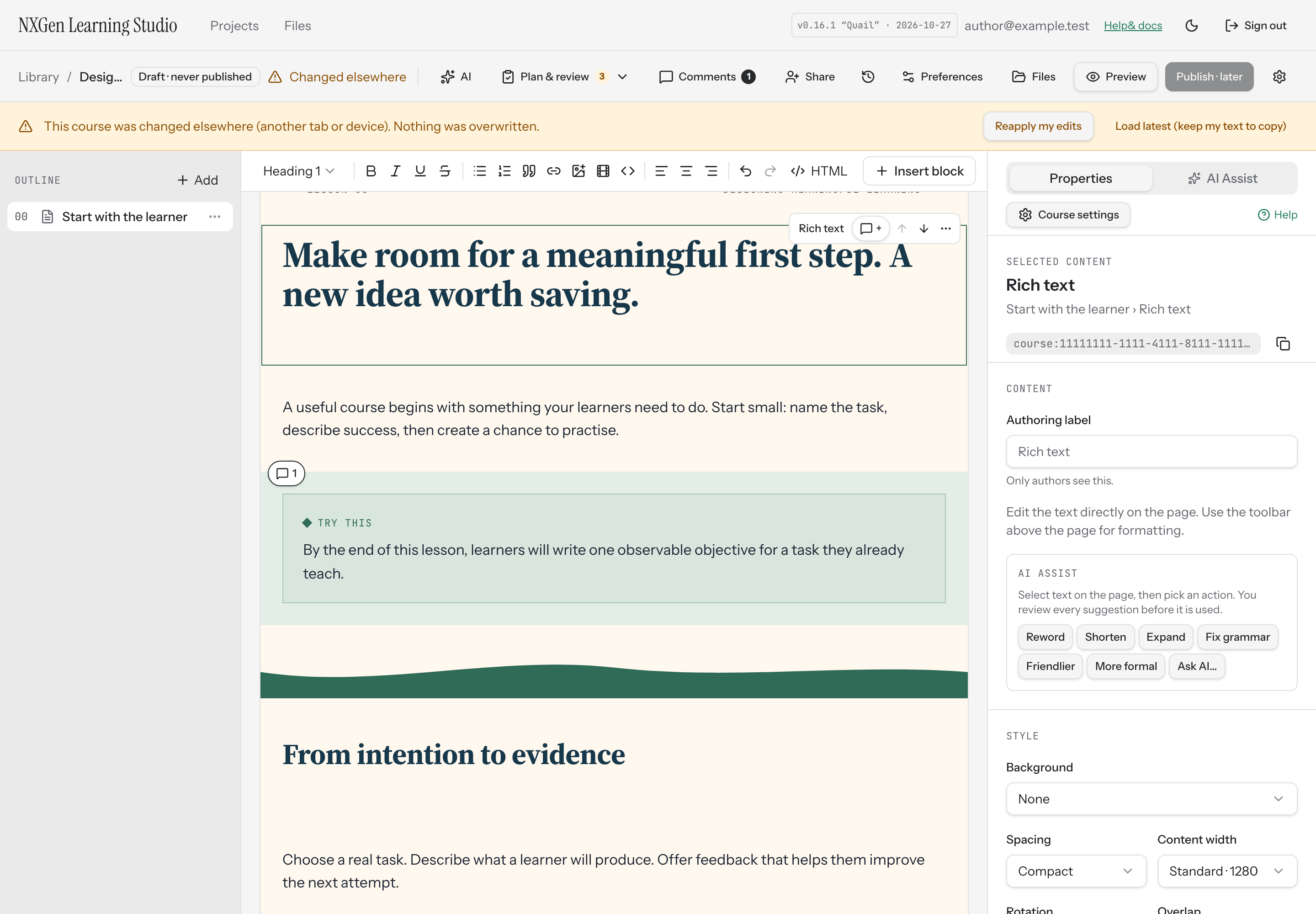
A version conflict
Section titled “A version conflict”Another tab or integration may have saved a newer version. The editor refuses to overwrite it. Follow the conflict controls to reload the current version and recover your unsaved text. Reconcile the recovered text deliberately rather than expecting automatic merging of two drafts.
Undo and restore
Section titled “Undo and restore”Use Undo/Redo for recent edits; use Versions for a saved checkpoint or historical state. Browser-local recovery is not a substitute for a confirmed server save.