Learning Studio / features
Rearrange page blocks with AI Assist
Ask AI Assist to reorder the top-level blocks on a page, then review the proposed moves before applying them.
Rearrange page blocks with AI Assist
Section titled “Rearrange page blocks with AI Assist”When a page’s content is in place but the order of blocks doesn’t flow well, AI Assist can propose a new arrangement. The assistant works on the top-level blocks of a single content page and lists every block id exactly once. You review the proposed moves before anything changes.
How to use it
Section titled “How to use it”- Open a content page in the studio. AI Assist doesn’t edit the cover, and it works on one page at a time.
- Make sure no block is selected so the scope is the whole page, then open AI Assist.
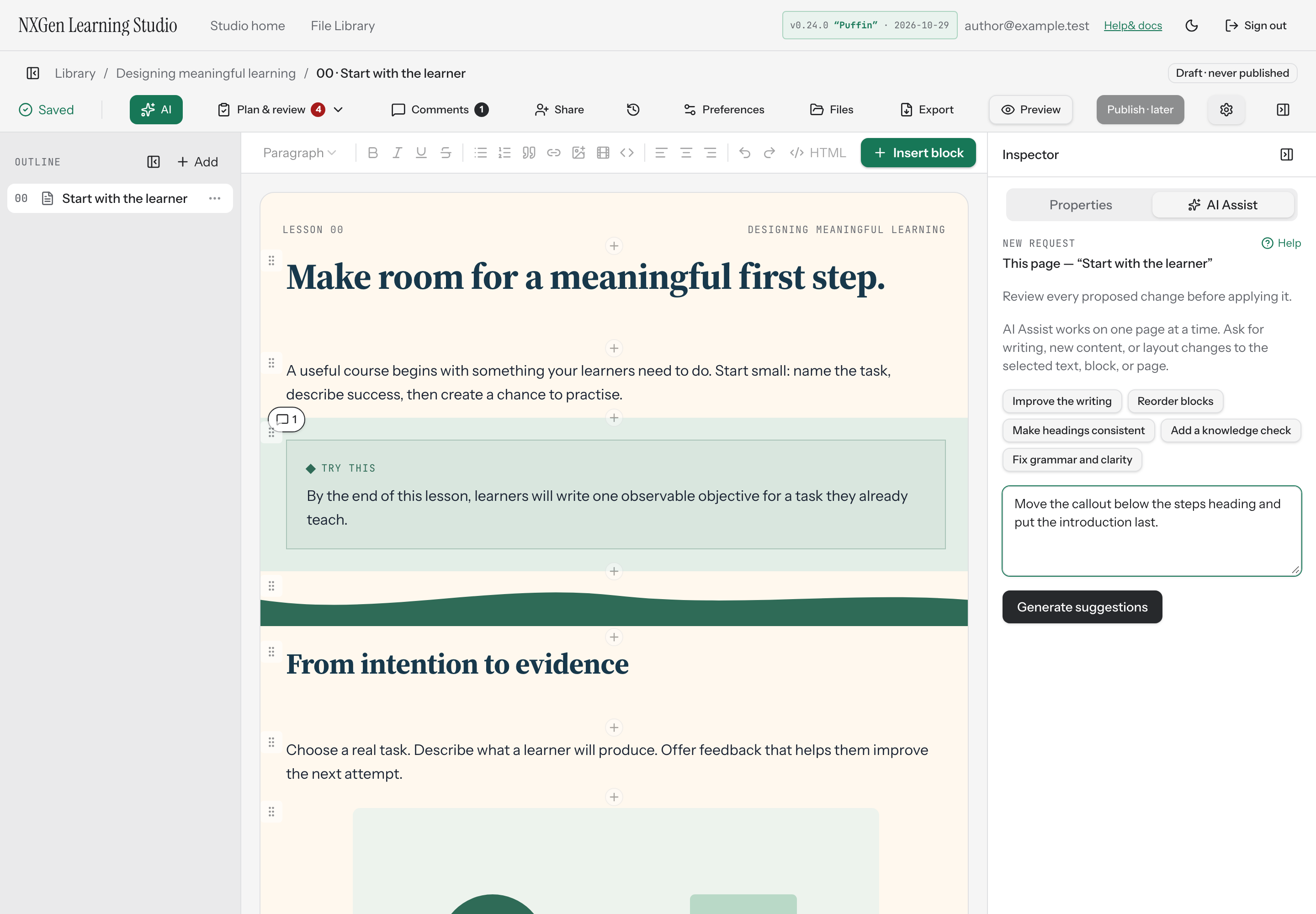
- Choose Reorder blocks to start immediately, or type a custom instruction like “Rearrange the blocks so the page reads better.” and choose Generate suggestions.
- Wait for the assistant to generate suggestions. Your content stays unchanged while it works.
- Review the proposed changes. Each move shows the block being relocated. Use Locate to find a block on the canvas.
- Select Apply to accept all proposed changes, or Discard to dismiss them.
Applied changes save as a labelled entry in Versions and undo together in one step (Ctrl/Cmd+Z). If the course changed while the assistant worked, the suggestions become stale and can’t be applied — discard and request a new review.
Availability and limits
Section titled “Availability and limits”- AI Assist works on one content page at a time and excludes the cover.
- The reorder action applies only to the page’s top-level blocks. The proposed order must be an exact permutation of the existing block ids; if it isn’t, no reorder is applied.
- Locked blocks are not edited or moved.
- If no changes are suggested, try a more specific request.
- Content that is too large for AI Assist will produce an error; select a smaller block or passage and try again.
The example below shows a custom request before submission. It does not show a completed reorder or its review.