Learning Studio / features
Protect a built-in sample course shell from deletion
Understand why a built-in sample course can't be archived or deleted, even though its pages remain fully editable.
How the sample course shell lock works
Section titled “How the sample course shell lock works”Each NXGen Learning Studio account receives a built-in sample course automatically. The sample carries a shell lock that prevents the course from being archived or deleted, while its pages remain fully editable.
The sample course appears once per account and is not duplicated on repeat visits.
The lock stays with the sample course itself. Restoring a previous version of the course does not change whether the course is a locked sample — the shell lock stays with the course regardless of which version you restore.
How to use it
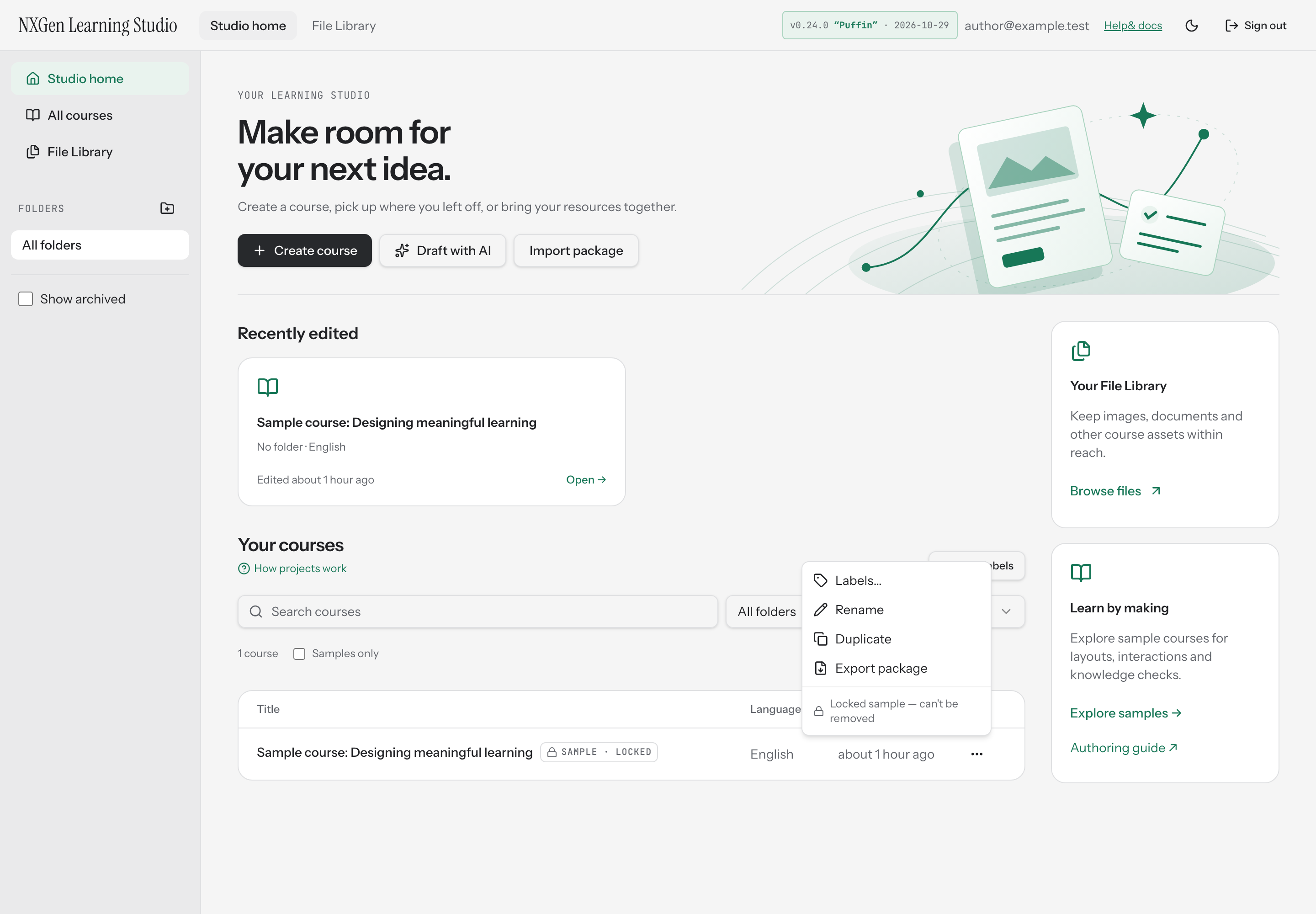
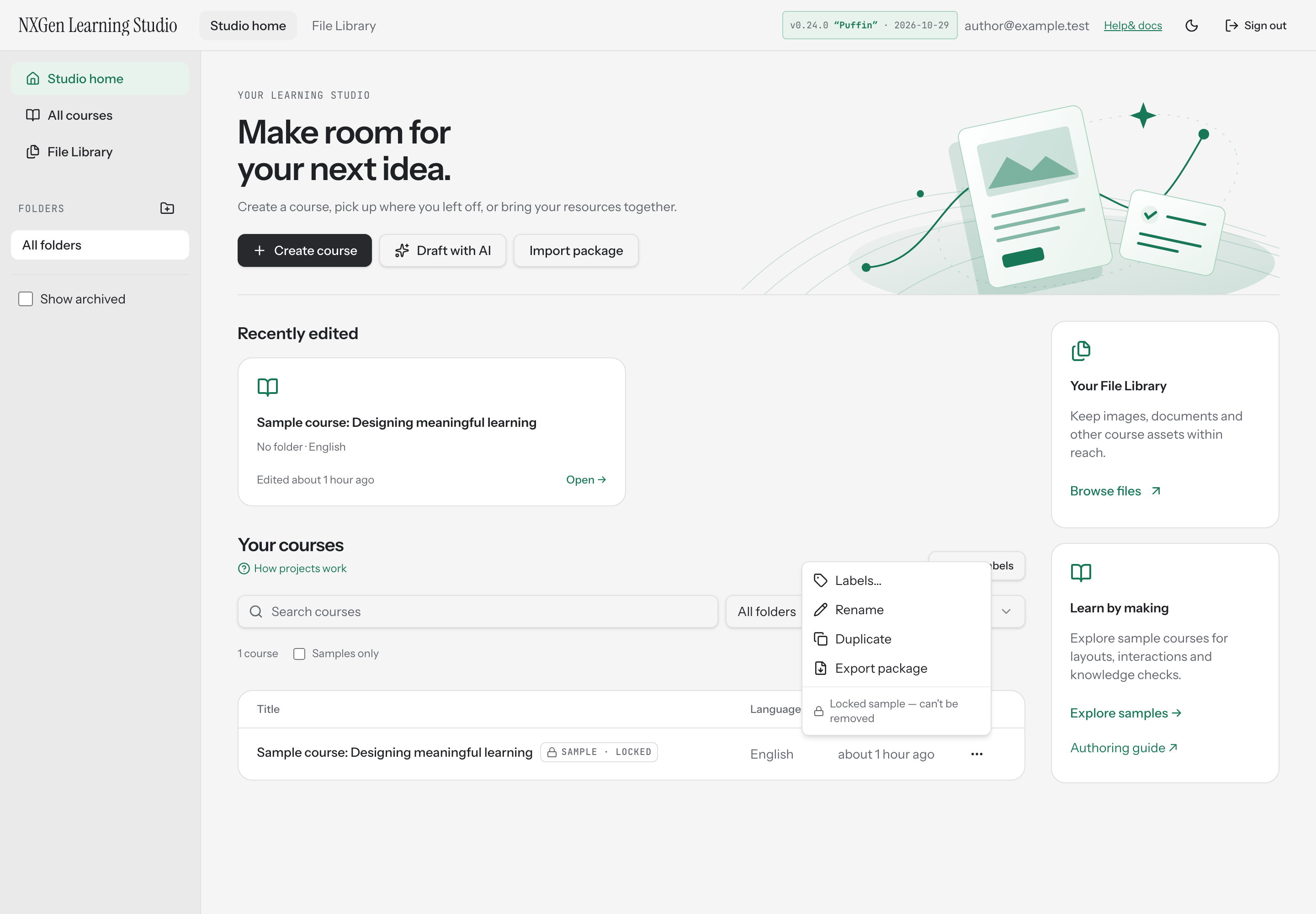
Section titled “How to use it”Open Studio home to find the sample course in your course list. It appears with a Sample · locked label next to its title.
- Edit pages: Open the sample course like any other. You can add, edit, and rearrange blocks on its pages — the lock only protects the course shell, not the page content.
- Duplicate: Use the course actions menu and choose Duplicate to create a copy. The copy becomes an ordinary course with no shell lock, so you can archive or delete it freely.
- Archive or delete: These actions are not available for the locked sample. The course actions menu shows a Locked sample — can’t be removed notice instead of archive and delete options.
Availability and limits
Section titled “Availability and limits”- The sample course is created automatically and once per account.
- The shell lock prevents archiving and deleting on every path — the interface, and any programmatic workspace operation.
- The lock does not restrict editing. You can modify pages, blocks, and content within the sample course as you would any other course.
- Duplicating the sample course produces a standard unlocked course.
- Restoring a previous version of the sample course preserves the shell lock; it is never added or removed by a restore.