Learning Studio / features
Skip to the canvas or formatting toolbar
Use screen-reader-only skip links to jump directly to the authoring canvas or text formatting toolbar.
Skip to canvas or formatting toolbar
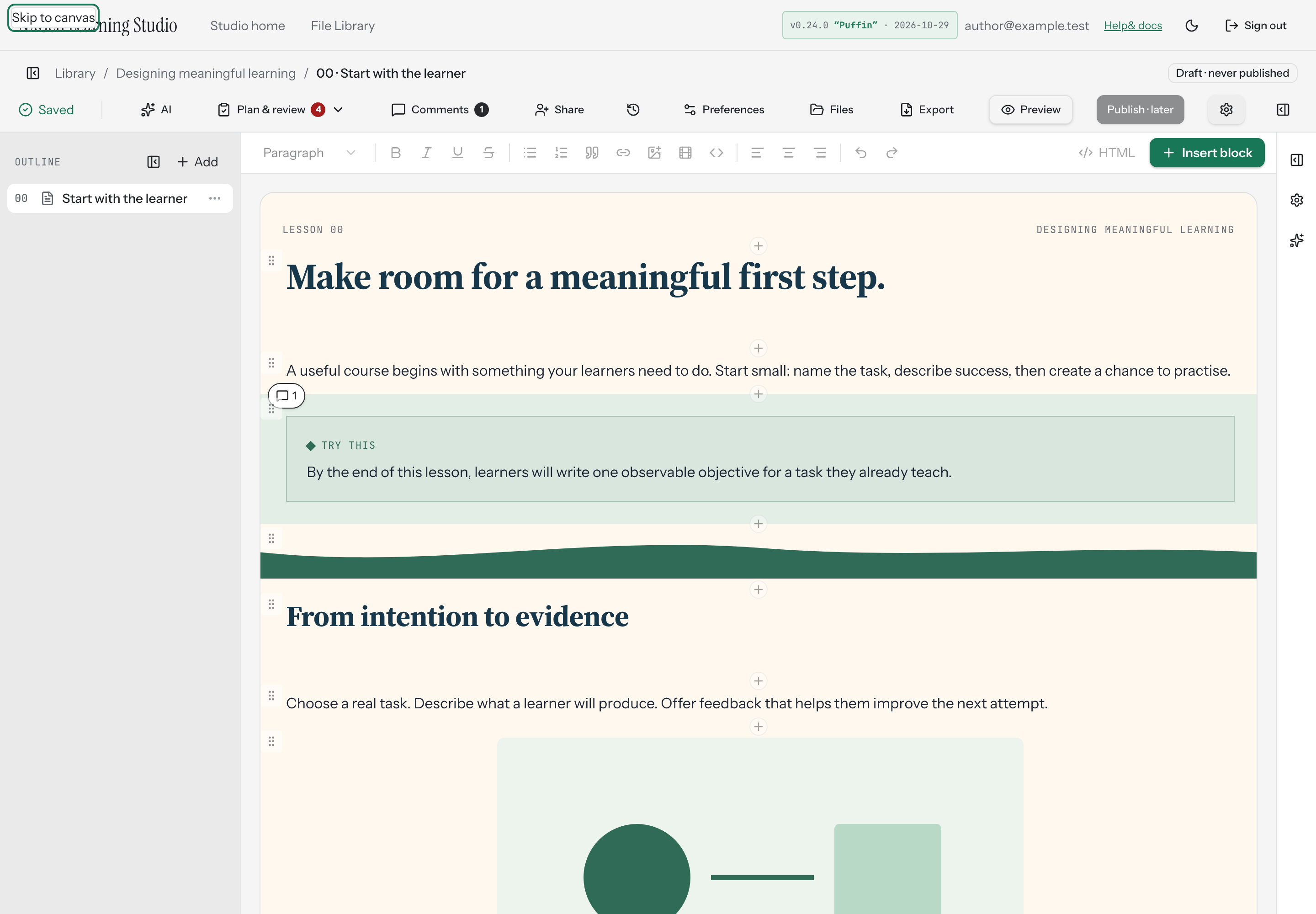
Section titled “Skip to canvas or formatting toolbar”The NXGen editor provides two screen-reader-only skip links at the top of the page: Skip to canvas and Skip to formatting. These links let keyboard and screen-reader users jump directly to the authoring canvas or the text formatting toolbar without tabbing through the full toolbar.
How to use it
Section titled “How to use it”- From the top of the editor, press Tab until the skip link you want receives focus. The link becomes visible when focused.
- Activate the link to move focus to the target region:
- Skip to canvas focuses the authoring canvas.
- Skip to formatting focuses the first enabled button in the text formatting toolbar.
Availability and limits
Section titled “Availability and limits”Skip links are available in the course editor and appear on every page load. They are hidden from sighted users until keyboard focus reaches them. The Skip to formatting link focuses the first enabled toolbar button; if all toolbar buttons are disabled, it falls back to focusing the toolbar container.